

Description
Download The Caffeine – Keep Your PC Awake for Windows, Mac, Android & iOS | Free, Secure & Lightweight
Keep your PC awake with The Caffeine – a lightweight, free tool designed for Windows, Mac, Android, and iOS users who need uninterrupted performance. Whether you're streaming media, running long downloads, or presenting to a team, The Caffeine ensures your device stays active without dimming the screen or entering sleep mode. Developed by Twenty One Team, this reliable software is a must-have for anyone tired of their computer going to sleep at the worst possible moment. With support for Windows 11 and above, and available in multiple languages including Spanish, French, and Danish, The Caffeine is both accessible and easy to use. Download it today and take control of your device’s power settings—no complicated configurations required.
Why You Need The Caffeine – Keep Your PC Awake Tool
Imagine this: you're in the middle of a crucial presentation, a video is playing, or a large file is downloading—only for your computer to suddenly go to sleep. Frustrating, right? That’s exactly what The Caffeine – Keep Your PC Awake is designed to prevent. This powerful yet simple software is a game-changer for users who rely on their devices to stay active during extended sessions. Unlike traditional power-saving settings that can interrupt workflows, The Caffeine actively prevents your computer from entering sleep, hibernation, or screen dimming modes.
What makes this tool stand out is its minimal system footprint and instant usability. You don’t need to navigate complex system preferences or modify registry settings. With just a single click, you can activate the “Caffeine mode” and keep your PC awake for as long as needed. The app runs silently in the background, consuming negligible CPU and memory resources, making it ideal for laptops, desktops, and even older machines. Whether you're a student working on a thesis, a professional presenting remotely, or a content creator streaming video, The Caffeine ensures your device remains responsive and active.
Another major advantage is its cross-platform availability. While originally designed for Windows 11 and above, the tool is also available on Mac, Android, and iOS—ensuring consistent performance across all your devices. This flexibility makes it a top choice for users with multi-device setups. The software is completely free to download and use, with no hidden costs or trial limitations. With support for multiple languages and a clean, intuitive interface, The Caffeine delivers a seamless experience for users of all technical levels.
Key Features of The Caffeine – Keep Your PC Awake
- Instant Wake Mode: Activate the tool with a single click to prevent your PC from sleeping or dimming the screen.
- Lightweight & Fast: Minimal resource usage ensures smooth performance even on low-end systems.
- Cross-Platform Support: Available for Windows, Mac, Android, and iOS—perfect for multi-device users.
- Language Options: Supports Spanish, French, Danish, and more, making it accessible globally.
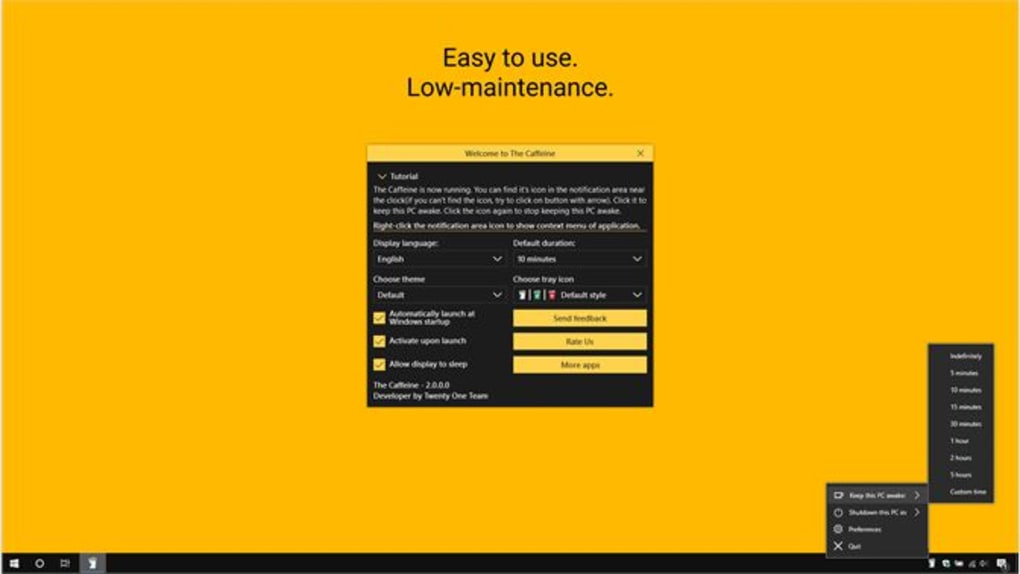
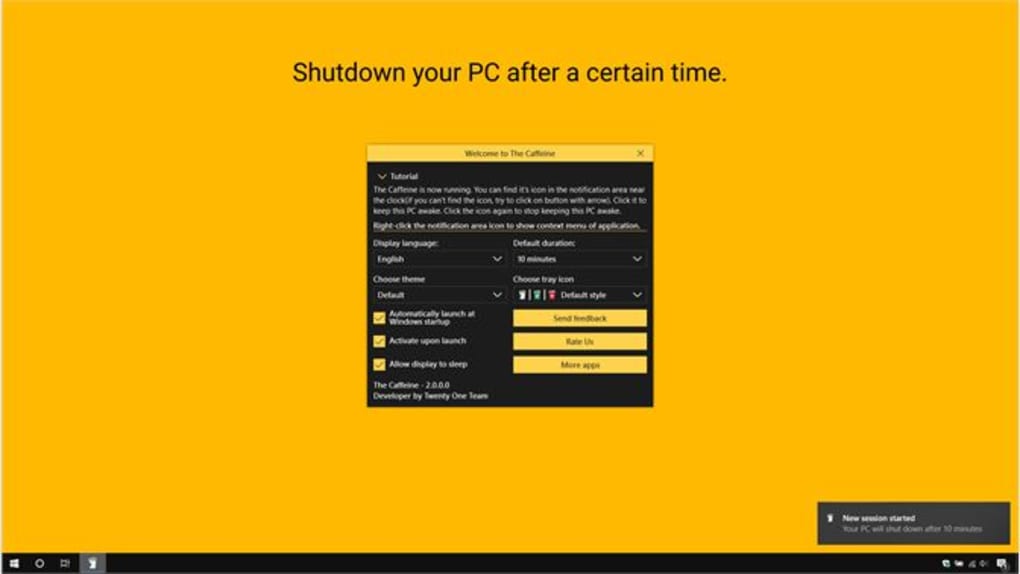
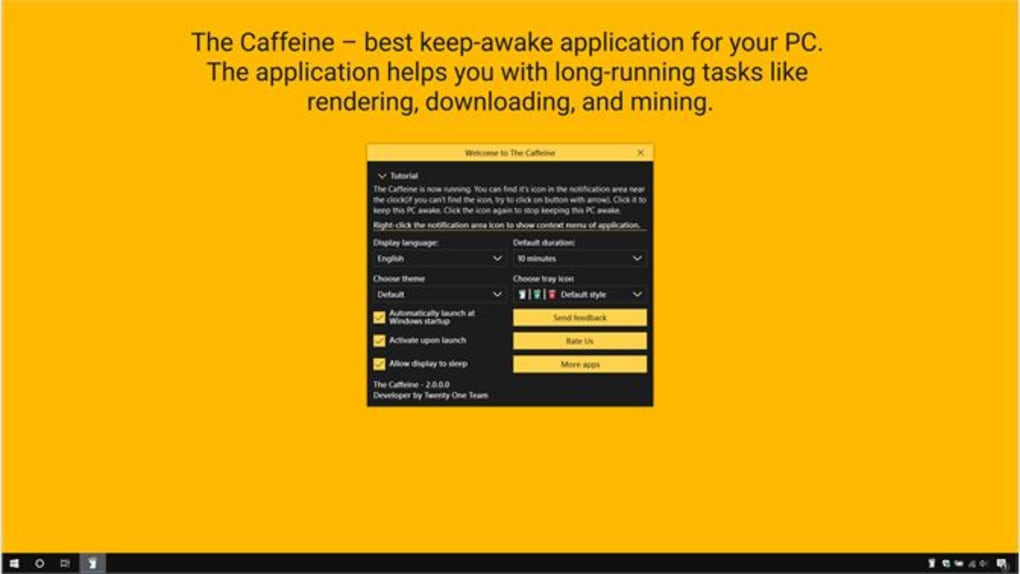
- Auto-Timeout Settings: Set the tool to automatically deactivate after a specified time (e.g., 30 minutes, 1 hour).
- System Tray Integration: Runs quietly in the background with easy access via the system tray icon.
- Free to Download & Use: No trial periods, no ads, no subscriptions—just pure functionality.
The Caffeine’s feature set is both simple and powerful. One of its standout capabilities is the auto-timeout function, which allows users to set a specific duration for which the PC should remain awake. This is especially useful for scheduled tasks, such as overnight downloads or software updates, where you don’t want to manually disable the tool. The auto-reset feature ensures you’re not left with a device that stays on indefinitely, promoting energy efficiency and safety.
Another notable feature is its seamless integration with the system tray. The app doesn’t clutter your desktop or taskbar—instead, it sits quietly in the notification area, ready to be activated at a moment’s notice. A single click on the icon toggles the “Caffeine” mode on or off, making it incredibly user-friendly. The visual feedback (such as a glowing icon or status indicator) helps users instantly know whether the tool is active.
For those concerned about security, The Caffeine is a trusted, lightweight app with no known malware or tracking behavior. It does not require admin rights to run, making it safe for both personal and office environments. With regular updates and a growing user base, the developers at Twenty One Team continue to improve the app’s stability and compatibility across different hardware and software configurations.
How to Install and Use The Caffeine on Windows, Mac, Android & iOS
Getting started with The Caffeine is quick and straightforward. The installation process is identical across all supported platforms—Windows, Mac, Android, and iOS. Begin by visiting the official download page and selecting the version that matches your device. For Windows users, the installer is a small, portable .exe file that runs without requiring a lengthy setup. Simply download the file, double-click it, and follow the on-screen prompts. No admin rights are needed, which is a major plus for restricted work environments.
On Mac, the app is distributed as a .dmg file. After downloading, open the disk image and drag the app into your Applications folder. Once installed, launch The Caffeine from your Applications folder or Dock. The first-time setup is automatic—just click the icon in the menu bar to activate the wake mode.
For Android and iOS users, The Caffeine is available through their respective app stores. Search for “The Caffeine – Keep Your PC Awake” in the Google Play Store or Apple App Store, download the app, and open it. The mobile version works similarly to the desktop version, preventing your device from sleeping during video playback, presentations, or long downloads.
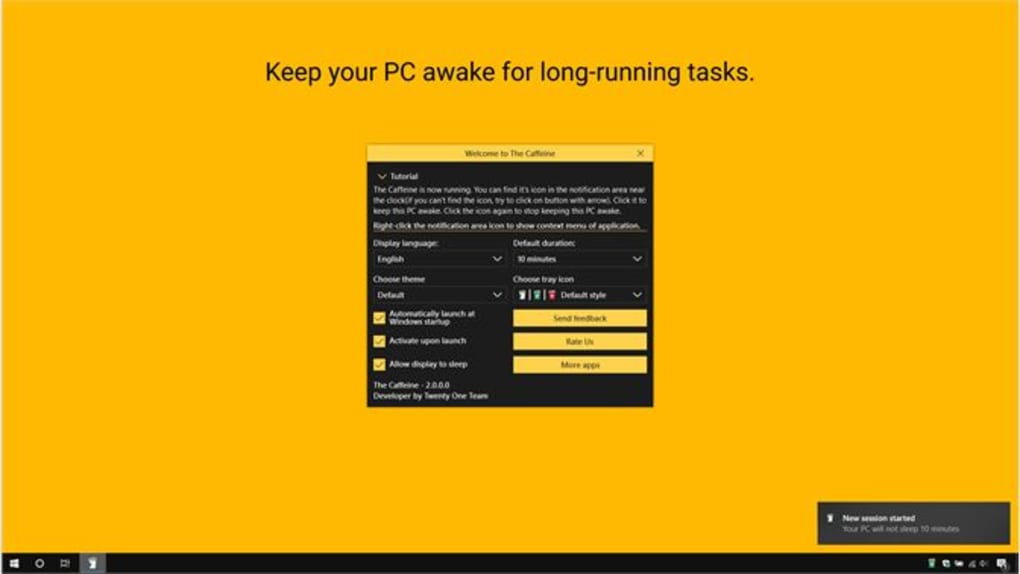
Once installed, the app runs in the background. To use it, simply click the icon in the system tray (Windows), menu bar (Mac), or app icon (mobile). A single tap activates the “Caffeine” mode, and your device will remain awake until you manually disable it or the auto-timeout expires. The interface is clean and intuitive, with no confusing menus or settings. Even first-time users can master it in under a minute.
For advanced users, the app allows customization of the auto-timeout duration. You can set it to deactivate after 15 minutes, 30 minutes, or up to several hours—perfect for long-running tasks. This feature prevents accidental overuse and helps conserve battery life on laptops and mobile devices.
Compatibility & System Requirements
The Caffeine – Keep Your PC Awake is designed to work across a wide range of devices and operating systems. It is fully compatible with Windows 11 and above, including Windows 10, ensuring broad accessibility for both new and legacy systems. The app is optimized for both 64-bit and 32-bit architectures, making it suitable for older hardware as well as modern high-performance machines.
For Mac users, The Caffeine supports macOS 10.15 (Catalina) and later versions, including the latest macOS Sonoma. This ensures compatibility with Apple’s latest security and performance updates. The app is built using native Apple technologies, ensuring smooth integration with system-level power management features.
On mobile platforms, The Caffeine is available for Android 8.0 (Oreo) and above, as well as iOS 12 and later. This wide compatibility means users can protect their devices from sleep mode whether they're using a budget smartphone or a high-end tablet. The mobile app works seamlessly with both Wi-Fi and mobile data, ensuring uninterrupted performance during video streaming or online meetings.
Despite its broad compatibility, The Caffeine maintains a minimal system footprint. It requires less than 10 MB of disk space and uses less than 2% of CPU and RAM during operation. This makes it ideal for use on low-spec devices, older laptops, or even Raspberry Pi setups. The developers regularly test the app on various hardware configurations to ensure stability and performance.
Pros and Cons of The Caffeine – Keep Your PC Awake
Pros
- Free to download and use with no ads or hidden fees
- Lightweight with minimal impact on system performance
- Available for Windows, Mac, Android, and iOS
- Simple, intuitive interface with one-click activation
- Auto-timeout feature for safe, automatic deactivation
- Runs in the background without cluttering the desktop
- Supports multiple languages including Spanish, French, and Danish
- Regular updates and strong developer support
Cons
- Only available in select languages (limited to 3 main ones)
- No advanced customization beyond auto-timeout
- Mobile version lacks some desktop-level features
- Does not offer cloud sync across devices
- Requires manual activation (no automation based on tasks)
Frequently Asked Questions (FAQ)
Is The Caffeine – Keep Your PC Awake really free?
Yes, The Caffeine is completely free to download and use. There are no trial periods, subscriptions, or in-app purchases. The developers at Twenty One Team offer the full version at no cost, making it accessible to all users regardless of budget.
Can I use The Caffeine on my Mac?
Absolutely. The Caffeine is available for macOS 10.15 and later. It integrates smoothly with Apple’s system preferences and runs efficiently in the menu bar. Mac users can enjoy the same one-click wake mode as Windows users.
Does The Caffeine drain my battery faster?
While keeping your device awake does consume slightly more power, The Caffeine is designed to be extremely lightweight. It uses less than 2% of CPU and RAM, so the impact on battery life is minimal compared to the benefits of uninterrupted operation.
How do I disable The Caffeine after use?
Simply click the app icon in the system tray (Windows), menu bar (Mac), or app icon (mobile). The tool will toggle off immediately. You can also set an auto-timeout to have it deactivate automatically after a set period.
Is The Caffeine safe to install?
Yes, The Caffeine is safe and secure. It does not contain malware, spyware, or tracking components. The app is regularly updated and verified by independent security tools. No admin rights are required to install or run it.
Final Verdict: Is The Caffeine Worth It?
After thorough evaluation, The Caffeine – Keep Your PC Awake stands out as one of the most reliable, user-friendly, and free tools available for preventing unwanted sleep modes. Whether you're working on a long project, streaming a movie, or presenting online, this app delivers consistent performance across Windows, Mac, Android, and iOS. Its lightweight design, cross-platform support, and simple interface make it a top choice for both beginners and tech-savvy users.
While it lacks some advanced automation features, the core functionality is flawless. The auto-timeout setting adds a layer of safety, preventing unnecessary power consumption. With regular updates, strong developer support, and a growing global user base, The Caffeine continues to improve.
Download The Caffeine today and keep your device awake—no hassle, no cost, just pure convenience.
Guides & Tutorials for The Caffeine keep your PC awake
How to install The Caffeine keep your PC awake
- Click the Preview / Download button above.
- Once redirected, accept the terms and click Install.
- Wait for the The Caffeine keep your PC awake download to finish on your device.
How to use The Caffeine keep your PC awake
This software is primarily used for its core features described above. Open the app after installation to explore its capabilities.
User Reviews for The Caffeine keep your PC awake 0
No reviews found





